The 30-minute run

Walk in with a CSV.
Walk out with the deck.

This is the bar we build the product against: an HR consultant, a new client's export, and thirty minutes to a world-class read of the organization. Every step below is a shipped screen — no demo magic, and no minute of it touches a server.

min 0–1
Drop the CSV

Any HRIS export with name, title, manager, department. Columns auto-map, manager references resolve, extra columns (grade, email, location, IDs) map too — entirely in your browser. Nothing uploads.

min 1–5
Walk the org as it really is

The tree and the matrix: dotted-line managers, program assignments, vacancies with dashed borders, contractors flagged. Focus any subtree; search anyone.
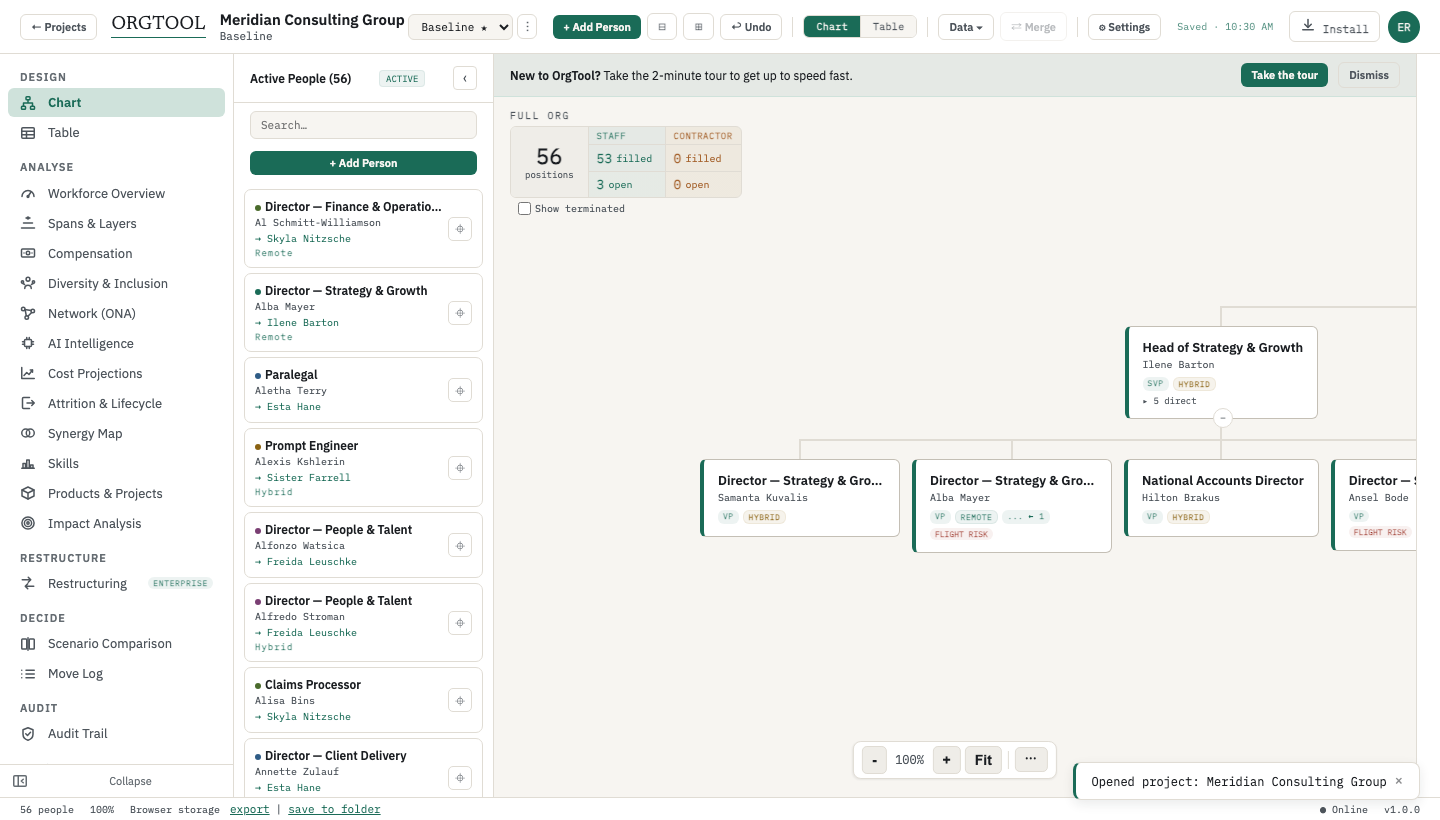
Walk the org as it really is — real capture from the current build
min 5–10
Read the diagnostics

Composite health score. Risk radar: single points of failure, succession gaps, overloaded managers, cost concentration. Spans & layers against targets. This is the "how did you find that so fast?" moment in the client meeting.
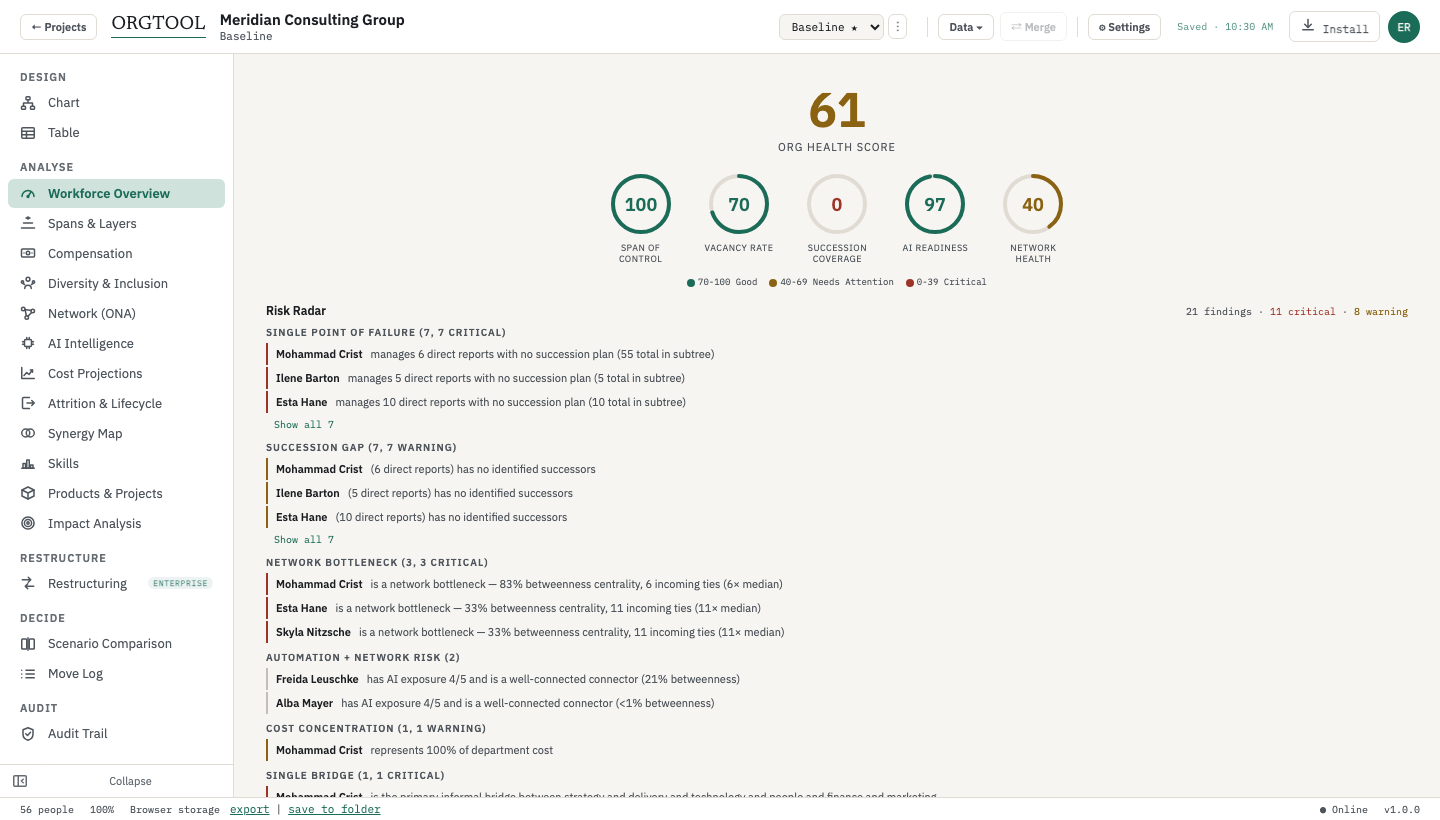
Read the diagnostics — real capture from the current build
min 10–20
Branch a scenario and redesign

Clone the baseline, drag the new structure into place, add vacancies for the roles you'll need, tag overlaps with synergy labels. Cost and span deltas update as you work.

min 20–25
Compare, side by side

Baseline vs proposal: added, removed, moved people; headcount and cost deltas; span-of-control shifts; department distribution. The conversation stops being about opinions.
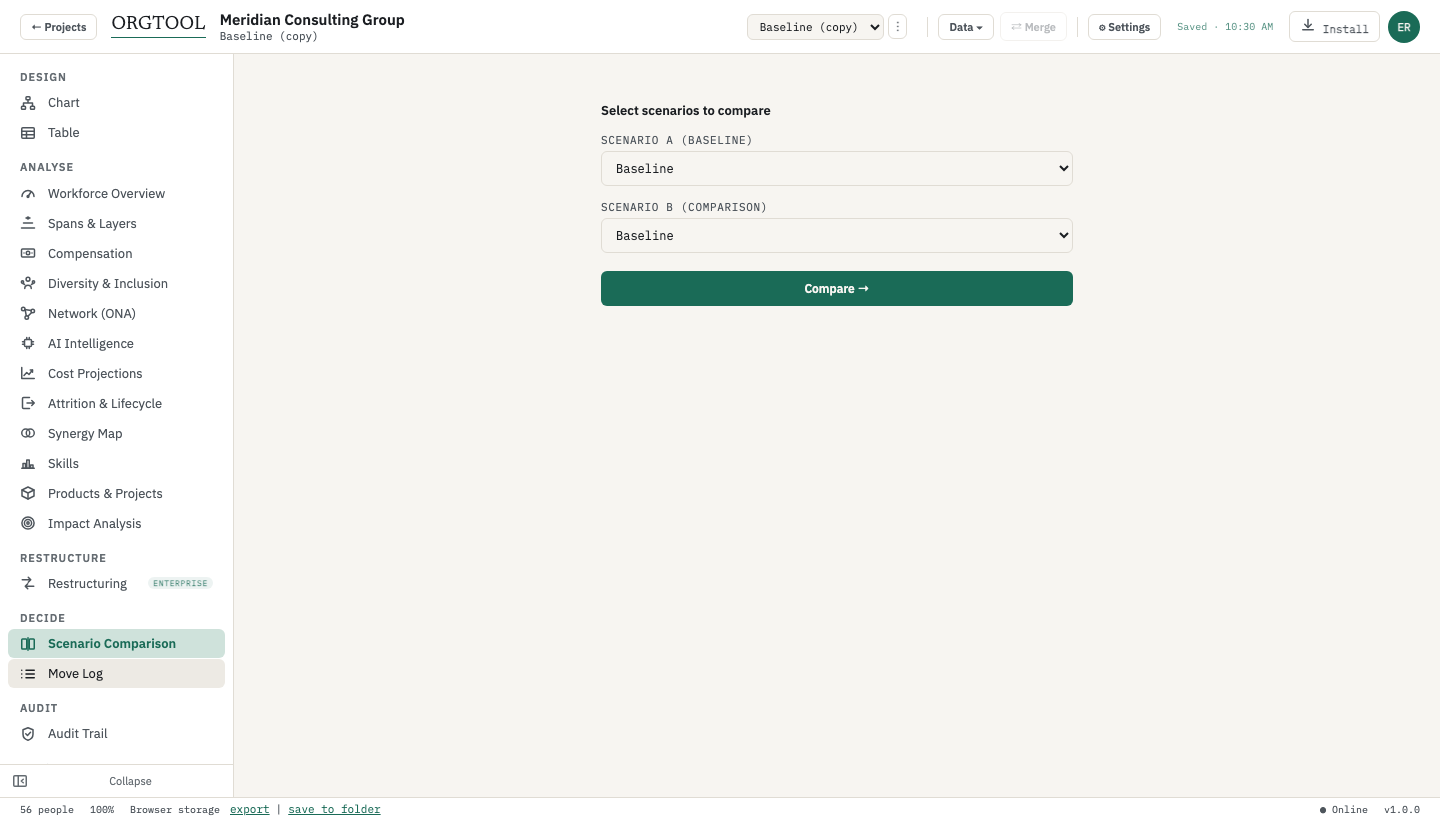
Compare, side by side — real capture from the current build
min 25–30
Export the deck

Client-ready PPTX: title with stat chips, executive impact summary, per-manager org slides with metrics, the matrix-relationships slide. Or a hyperlinked PDF. Walk out with the deliverable.

Minute 31: the client asks how you did that. The honest answer: the model did the arithmetic; you did the judgment.
Open OrgTool — free
FAQ

Frequently asked questions

Answers restate claims verified file-by-file against the current build — see claims/ in the site repo. Last verified July 2026.

Do I need to install anything?
No. OrgTool is a web app — a single ~3.5 MB file that runs in a modern browser on macOS, Windows, or Linux. You sign in once with an emailed code and it then works offline for days: fine for a client site with no guest Wi-Fi.
What about client confidentiality?
The reason consultants pick this tool: the client's CSV never uploads. All computation happens in your browser, the org lives in an .orgpack file you control (encrypted by default), and there is no vendor tenant holding your client's workforce data — nothing to disclose, nothing to clear with their security team.
What if the org is bigger than 25 people?
The free plan covers one org of up to 25 people — real engagements need Pro ($49/person/month, 14-day trial, no card to start), which removes the cap and unlocks exports, the analytics stack, and cost projections. If the org is already over the cap when you open it, it still renders in full; the limit gates growth, not access.
Can I hand the result to the client?
Three ways: the PPTX/PDF deck; the .orgpack file itself (they open it in OrgTool — admin, editor, and viewer roles travel inside the encrypted file); or, for reductions on Enterprise, the hash-stamped audit pack their counsel can verify independently.